Projectile
;; Project interaction for Emacs
In a nutshell - Projectile knows where your project starts and ends. You can jump to any file in it, search it, run its tests and switch to another project with just a couple of keystrokes. It's been doing this since 2011.
Latest release: 3.4.0, and the story behind 3.0.
What it's like
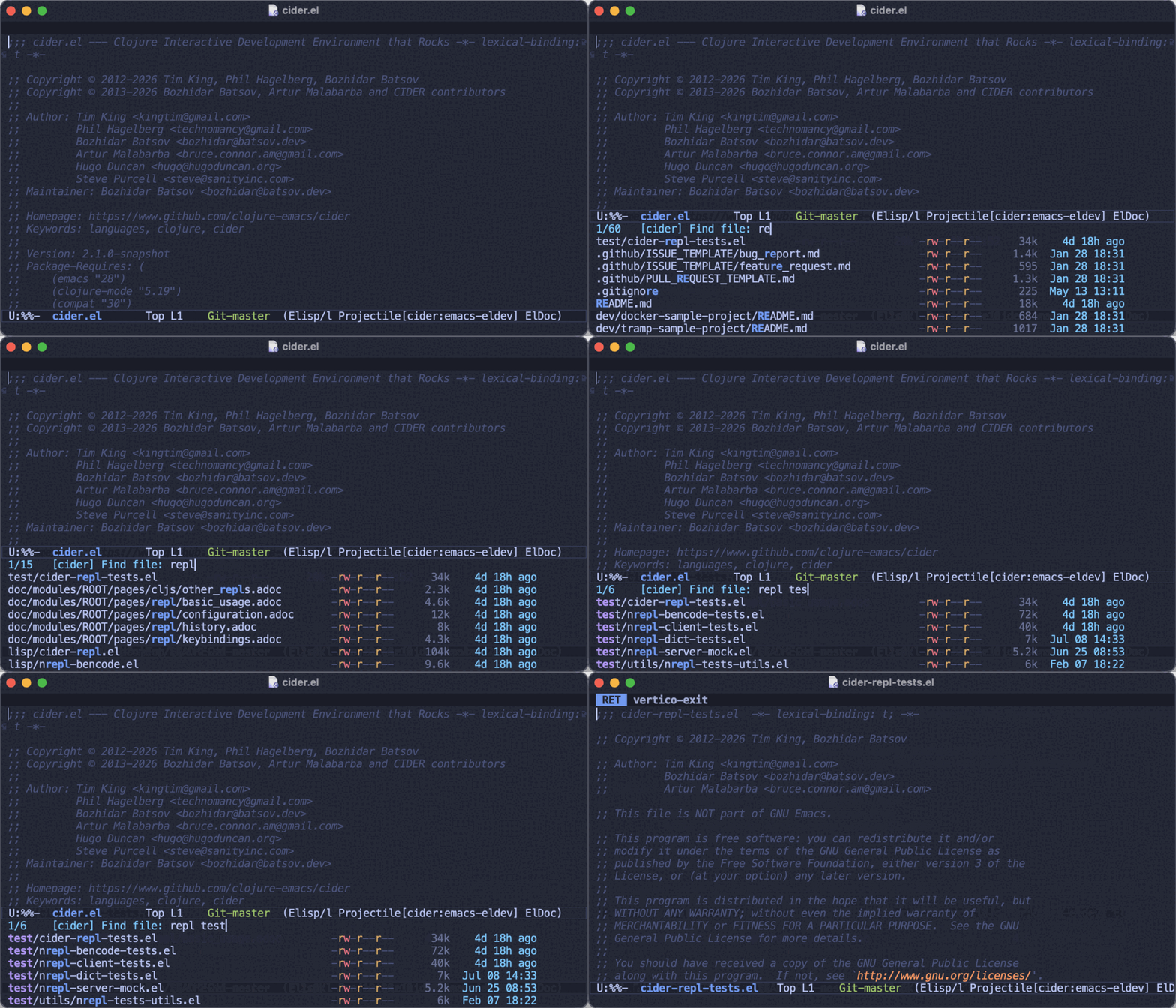
Any file, a few keystrokes away s-p f
Every file in the project, narrowed down as you type, with the ones you ignore left out. It's just as fast in a huge monorepo or over TRAMP as in a toy project, because the indexing happens in the background. [manual]
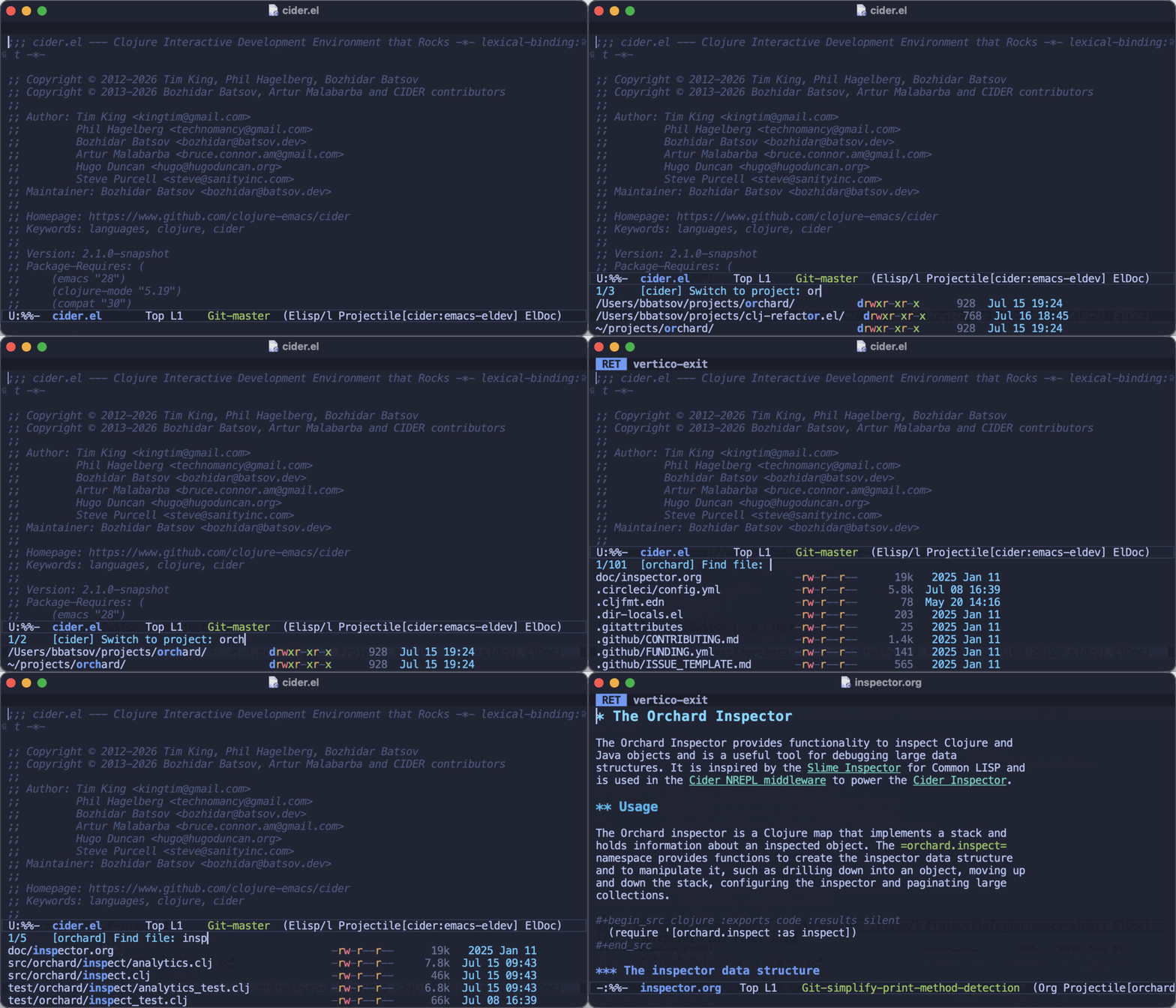
Every project you work on s-p p
Projectile remembers your projects, so switching is a matter of picking one and then a file in it. Turn on session mode and each project gets its own tab, with its buffers back where you left them. [manual]
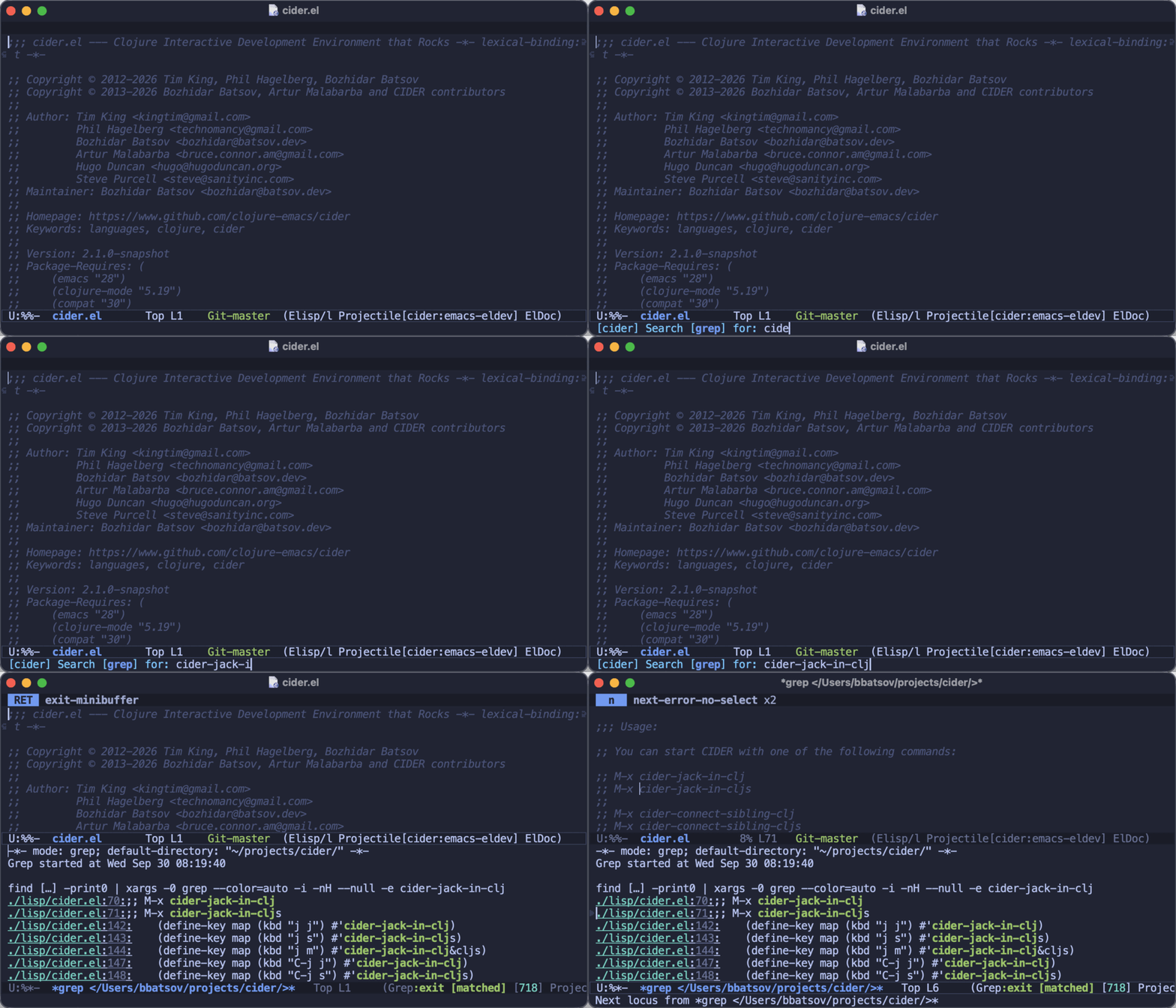
Search the whole project s-p s s
One search command with ripgrep, grep and ag behind it (or your own backend), always scoped to the project and its ignore rules. [manual]
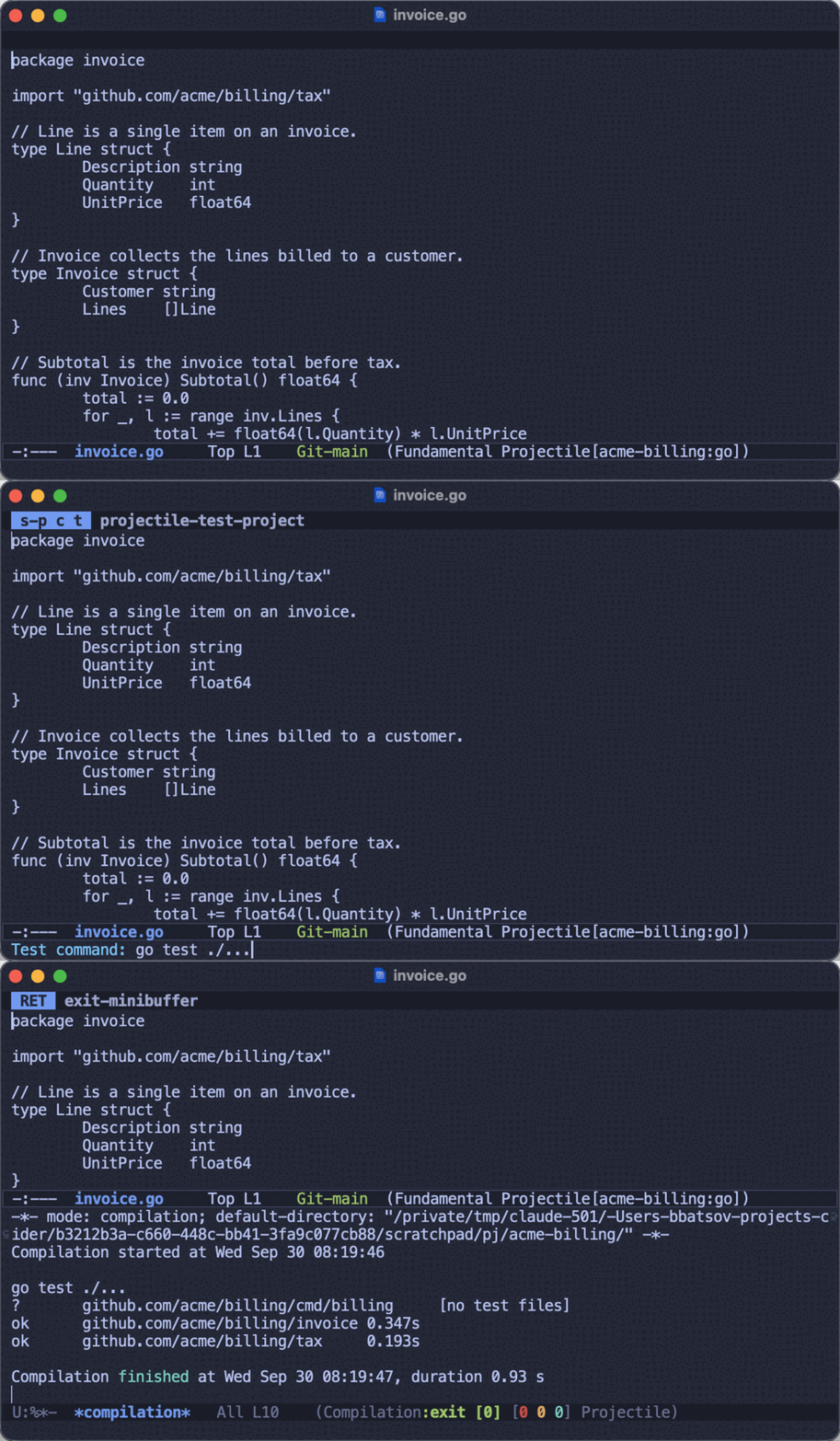
Build, test and run s-p c t
Projectile knows how to compile, test and run nearly a hundred kinds of project, and remembers the commands you tweak for each one. It can even run just the test at point. [manual]
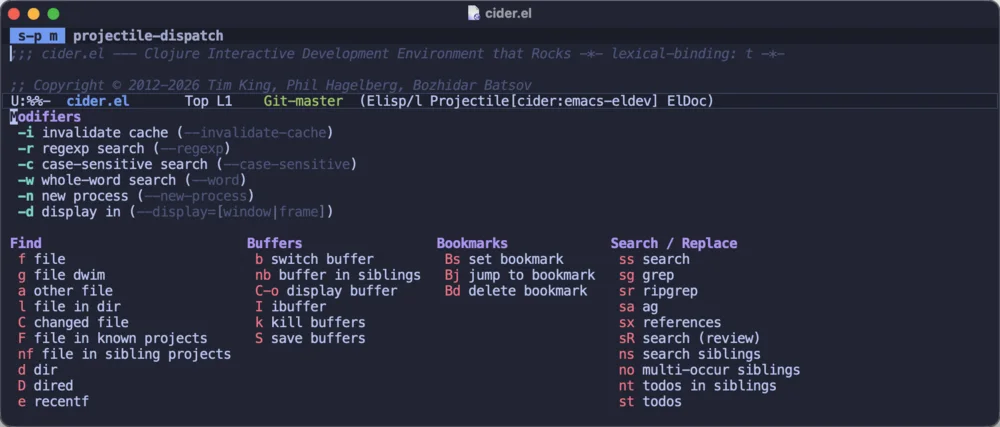
A menu for everything s-p m
You don't have to memorize anything. The menu lists every command, with switches for regexps, case sensitivity and opening things in another window. [manual]
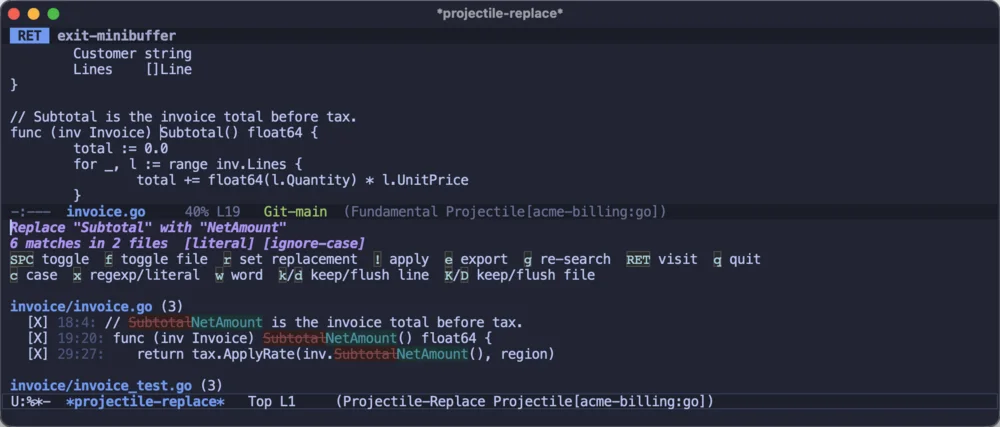
Replace, with a preview s-p R
See every match before anything changes, skip the ones you don't want, apply the rest, and undo the whole replace in one go if you change your mind. [manual]
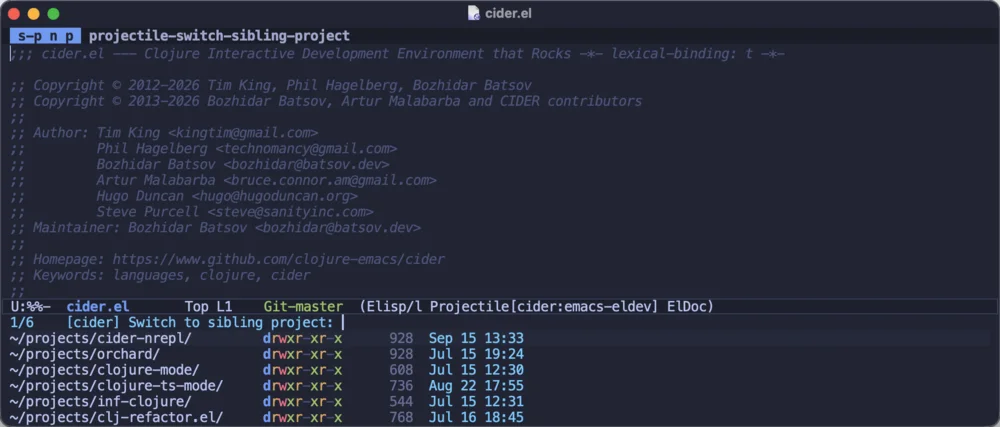
Related projects s-p n p
Projects often come in groups. Jump between the siblings of the one you're in, or the other worktrees of the same repository, without having to pick them out of every project you've ever worked on. [manual]
And the rest
Projectile packs a lot of features, and its menu (s-p m) lists all of them. Here are a few more that didn't fit above:
- Toggle between code and tests
- Find files by kind
- Project buffers
- Named tasks
- Test at point
- Shells and REPLs per project
- Sessions
- A tab per project
- Monorepos and subprojects
- Worktrees
- Project bookmarks
- TODOs across the project
- Flexible ignore rules
- Remote projects over TRAMP
- Consult and Embark integration
- A project.el backend
News
Getting started
- Install it. Projectile is on NonGNU ELPA, which Emacs knows about out of the box, so M-x package-install RET projectile RET is all it takes.
- Turn it on and give it a prefix key. Projectile doesn't take one for itself, so pick whatever you like:
(projectile-mode +1)and(define-key projectile-mode-map (kbd "s-p") 'projectile-command-map). - Open any file in a git repository (or any directory with a
.projectilefile in it) and press s-p f. That's pretty much it - s-p m will show you everything else.
The getting started guide will take you from a fresh install to a setup you’re happy with in a few minutes.
History
Projectile started in the summer of 2011, simply because I was frustrated that
find-file-in-project didn’t work on Windows. I’ve been its primary author
and maintainer ever since, and it remains one of my favorite projects (and the
one I use the most).
Fifteen years and three major versions later, it knows nearly a hundred kinds
of project, indexes them without freezing Emacs, and gets along fine with the
built-in project.el.
More than 400 people
have contributed to it over the years, and its development is funded by its
users.
Questions
- How is it different from project.el?
project.elis the minimal project layer built into Emacs; Projectile offers a lot more on top of the same idea - project types with build and test commands, toggling between code and tests, tasks, sessions, sibling projects and so on. They coexist: Projectile registers itself as aproject.elbackend. There's a detailed comparison in the manual.- What counts as a project?
- Any version-controlled directory (git, Mercurial, Jujutsu, Sapling and more), anything with a build file Projectile recognizes, or any directory where you drop an empty
.projectilefile. - Does it work with my completion setup?
- Yes. Projectile uses the standard
completing-read, so Vertico, Consult, Ivy'scompleting-readsupport, fido-mode and the default completion all work. Consult and Embark users get extra integration on top. - Why doesn't it have a default prefix key?
- Because there's no good one to take. Pick whatever suits you - most people go with s-p or C-c p - and s-p m (or your prefix and m) shows everything else in a menu.
- Is it fast on huge repositories?
- Yes. By default Projectile asks your version control system for the file list, indexes in the background so a cold start doesn't freeze Emacs, and caches the result. The manual's indexing page covers all the relevant options.
- Who's behind it?
- Me, Bozhidar Batsov. I started Projectile in 2011 and I've been its primary author and maintainer ever since. More than 400 people have contributed to it over the years, and it's funded by the people who use it.
Help and support
Getting help
- GitHub Discussions - Questions, ideas and general discussions.
- Issue tracker - Bugs and feature requests.
- Troubleshooting - When something isn't working the way you expect.
- Cheatsheet - Every command and keybinding on one page.
Supporting Projectile
Projectile is free, but maintaining it takes a lot of time and effort. If you find it useful, please consider supporting its development:
- GitHub Sponsors recommended - monthly or one-time, right from your GitHub account
- Liberapay - recurring donations, run as a non-profit
- Patreon - monthly memberships
- PayPal - a one-off donation
Keep hacking!
© 2011-2026 Bozhidar Batsov and Projectile contributors. Colophon. Source.